
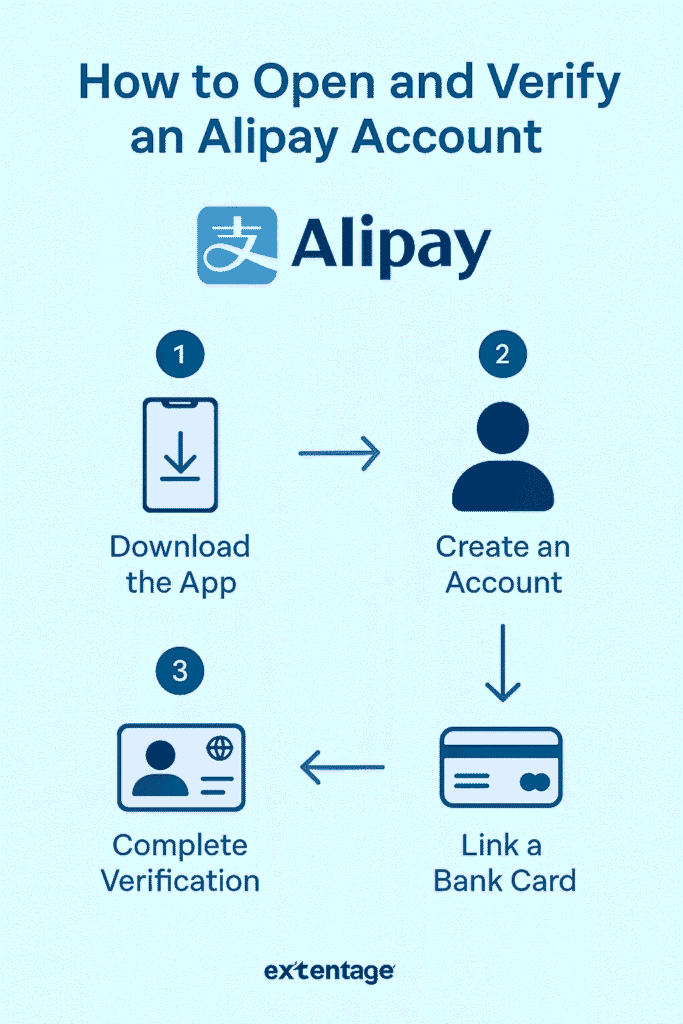
Alipay has become one of the most important mobile wallets in the world. For visitors to China, cross-border shoppers, and freelancers working with Chinese clients, being able to open and properly verify an Alipay account is almost a necessity.
This guide explains, step by step, how to:
-
Create a new Alipay account
-
Choose the International Version if you are a foreign user
-
Complete real-name (KYC) verification with a passport or local ID
-
Link a bank card so you can actually pay
The instructions are based on the latest public information available in 2024–2025 from Alipay and major payment guides.Wise+3Trip.com+3China Registration+3
Alipay’s interface can change, so always follow on-screen prompts as the final authority.
1. Understand the Two Main Alipay Setups
Before you start, you must be clear about which type of user you are, because your options are slightly different.
1.1 Mainland China Users
If you live in Mainland China and have:
-
A Chinese mobile number, and
-
A Chinese bank account/card
…you will use the standard Mainland Alipay app.
After registration, you complete real-name verification with your Chinese ID or passport and then link your local bank card.
1.2 Foreigners and Overseas Users
If you are not a resident of Mainland China, you normally use the International Version of the Alipay app. It lets you:
-
Register with an international phone number
-
Verify your identity using your passport
-
Link an international Visa/Mastercard/JCB card
-
Spend inside China via Alipay’s cross-border system or “tour pass”-style solutionsChina Registration+2YouTrip Australia+2
You can’t treat this like a full Chinese domestic wallet, but it works for most tourists and short-term users.
2. Step 1 – Download the Alipay App
-
On iOS – Open the App Store and search for “Alipay – 支付宝”.
-
On Android – Use Google Play, Huawei AppGallery, or the official link from Alipay’s website.Trip.com+1
Tip: If you’re traveling to China, download and install the app before you arrive so you’re not fighting with hotel Wi-Fi or roaming issues.
When you open the app for the first time, you’ll normally see an option like “International Version” or language selection. Choose English (or your preferred language) if available.
3. Step 2 – Create Your Alipay Account
The registration flow is similar for locals and foreigners, but the details matter.
3.1 Choose Your Region and Language
-
Open Alipay → tap Sign Up or Register.
-
Select your country/region from the list.
-
Confirm language as English if you don’t read Chinese.
Choosing the correct region is important because it controls which verification methods and card types are allowed for your account.China Registration+1
3.2 Register with Your Phone Number
-
Enter your mobile number (international or Chinese).
-
Agree to the User Agreement and Privacy Policy.
-
You’ll receive an SMS code – enter it in the app to confirm.
Important: Use a number that you will keep active; you may need SMS codes later for security checks or password resets.
3.3 Set Your Login Password
-
Create a strong password (not a simple “123456”).
-
This is different from your payment PIN, which you’ll set later.
Once this is done, you technically have an Alipay account – but it will be very limited until you complete identity verification.
4. Step 3 – Complete Real-Name (Identity) Verification
Alipay must comply with Chinese KYC / real-name regulations. If you do not verify your identity, your limits will be low and some features will be unavailable.appinchina.co+1
The exact path might vary slightly by version, but the general steps are:
4.1 Open the Identity Verification Menu
In the app:
-
Tap Me (bottom-right).
-
Tap the Settings icon (top-right).
-
Go to Account & Security.
-
Tap Identity Information or Real-Name Verification.Wise+2Trip.com+2
You should now see a prompt such as “Verify now”.
4.2 Select Your Document Type and Region
-
Choose your region/country from the dropdown.
-
Select the ID document you will use. For foreigners, this is normally:
-
Passport (most common)
-
Occasionally a foreign residence permit or local visa, depending on region.Instagram+3Wise+3Reddit+3
-
4.3 Upload ID Photos and Fill Details
You will typically be asked to:
-
Take a clear photo of the information page of your passport.
-
Confirm key fields: full name, nationality, document number, date of birth, issue and expiry dates.Reddit+2help.flip.id+2
Follow the on-screen cropping and confirmation instructions carefully.
4.4 Complete Face / Liveness Verification
Most users are then asked to complete a face scan:
-
Hold your phone up and align your face in the circle.
-
The system may ask you to blink, turn, or speak numbers.
This step proves that the person holding the phone matches the passport photo.
4.5 Wait for Approval
Alipay usually gives a time estimate (often up to 24 hours, but many users are approved within minutes).Reddit+1
You’ll receive an in-app notification or SMS when the real-name verification is successful.
5. Step 4 – Link a Bank Card or Payment Method
After verification, you must link a card to actually use Alipay for payments.
5.1 For Mainland Chinese Users
-
Tap Me → Bank Cards → Add Card.
-
Enter your Chinese bank card number.
-
Confirm your name and ID details (they must match your verified real name).
-
Confirm with SMS from your bank if requested.
Once linked, you can:
-
Top up your wallet
-
Pay via QR codes
-
Use transfer and many financial services
5.2 For Foreigners (International Version)
If you’re using the international setup:
-
On the home screen, look for “Add Bank Card”, “Tour Card”, or “International Cards”.China Registration+2YouTrip Australia+2
-
Add your Visa/Mastercard/JCB card from your home country.
-
Complete 3-D Secure or SMS verification if your bank requires it.
Important limitations:
-
Some advanced functions (like red packets, P2P transfers, investments) may not be available with foreign cards.Wise+1
-
The wallet is mainly for retail payments (restaurants, shops, transport, online platforms that accept Alipay).
6. Step 5 – Set Your Payment Password and Security Settings
To protect your funds, you must create a separate payment PIN.
-
Go to Me → Settings → Payment Settings.
-
Set a 6-digit payment password.
-
Enable additional options if available, such as:
-
Device lock (Face ID / fingerprint)
-
Transaction alerts
-
Login protection
-
These controls reduce the risk of account misuse if your phone is lost.
7. Common Problems and How to Fix Them
Even if you follow the steps correctly, Alipay might still show errors or restrictions.
7.1 “Verification Failed” or “Information Does Not Match”
-
Make sure your name matches your passport exactly, including middle names and order.
-
Check that you selected the correct region and document type.
-
Ensure your passport photo is clear, with no glare or shadow.
If repeated attempts fail, use the online support chat inside the app and upload better images.
7.2 “This Service Is Not Available in Your Region”
Alipay does not offer the same features in every country.Wise+2YouTrip Australia+2
-
Confirm that you are using the official app and not a cloned APK.
-
Make sure you selected the correct region during registration.
-
Some cross-border features may only be available when you are physically in China.
7.3 Account Limited or “Delayed Settlement”
If you receive a message about account restriction or delayed settlement, it means Alipay’s risk system detected unusual activity (for example, sudden large receipts, suspicious counterparties, or unverified business use).
In that case:
-
Read the exact restriction notice inside the app.
-
Follow the steps to submit an appeal and upload any requested documents.
-
Avoid abnormal activity while under review.
8. Security Best Practices for New Alipay Users
To keep your account safe:
-
Never share your login password or payment PIN.
-
Don’t let agents or strangers register Alipay on your behalf.
-
Only download Alipay from official app stores or Alipay’s website.
-
Enable two-factor security features where available.
-
If your phone is lost, immediately log out or freeze the account through the app or official support channels.
9. FAQs: Opening and Verifying an Alipay Account (2025)
Q1. Can I open Alipay without a Chinese bank account?
Yes, many foreigners can now use the International Version of Alipay with a passport and an international bank card, mainly for spending while in China.
Q2. How long does identity verification take?
Most users are verified within a few minutes to 24 hours, depending on document quality and system load.Reddit+2Reddit+2
Q3. Which documents can I use for verification?
For Mainland Chinese users: national ID or resident permits.
For foreigners: typically passport, and sometimes residence permits depending on region and version.Wise+2help.flip.id+2
Q4. Can I send money to other people with an international Alipay account?
Functions such as P2P transfers and red packets may be limited or unavailable with foreign cards. Cross-border Alipay is primarily designed for consumer payments, not remittance or money transfer services.Wise+1
Q5. Are there fees for using Alipay as a foreigner?
Alipay itself may not charge for many in-store QR payments, but your bank or card provider may apply foreign transaction fees or currency conversion charges. Always check with your card issuer.
Conclusion
Opening and verifying an Alipay account in 2025 is much easier than it was a few years ago, especially for foreign visitors using the International Version.
The key steps are:
-
Download the official Alipay app.
-
Register with a valid phone number and region.
-
Complete real-name verification using your passport or local ID.
-
Link a Chinese or international bank card.
-
Configure your security settings and use the wallet responsibly.
Once everything is set up, you can enjoy fast, cashless payments across China and on many Chinese platforms, with the confidence that your account meets the required compliance and security standards.