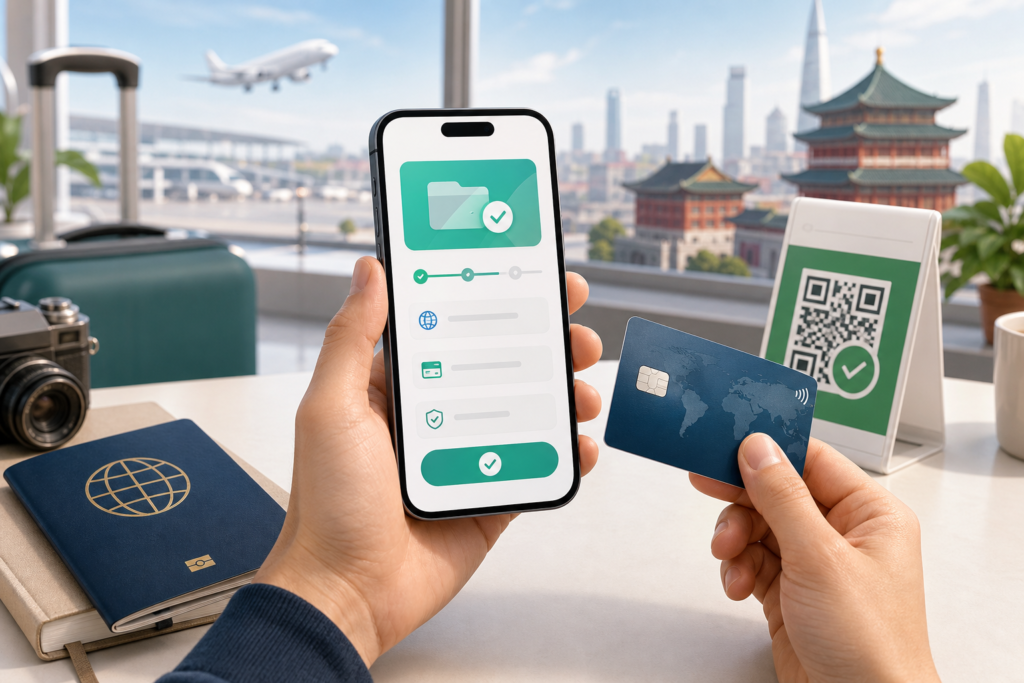
International visitors can use WeChat Pay in mainland China without opening a Chinese bank account. Install the official WeChat app, register with an international or Chinese phone number, complete any requested passport identity check, and link an eligible overseas bank card. You can then pay by scanning a merchant QR code or showing your payment code.
Set it up before travel while you can receive bank security messages, but carry a physical card and some RMB cash as backups. Card eligibility, merchant support, app menus, limits, and issuer approval can vary.
What you need before setup
- A current passport that matches the name you enter
- A phone number able to receive verification messages
- An eligible overseas credit or debit card
- Access to your bank app or bank security codes
- The official WeChat app from your device’s app store
Chinese government guidance says foreign visitors may register mobile-payment apps with an overseas or Chinese phone number and link cards from major international networks. Tencent says Weixin Pay supports cards from seven major networks, including Visa and Mastercard. The exact brands available to you should be confirmed in the current card-linking screen.
How to set up WeChat Pay as a tourist
- Install WeChat and create an account. Use your real phone number and secure the account with a strong password. Download only the official app.
- Open the payment area. In the English interface, this is commonly under Me → Services → Wallet. Labels can change by version and region.
- Complete identity verification when requested. Enter your legal name in the same order and spelling shown on your passport. Upload a clear passport image if prompted.
- Add an international card. Enter the card number, expiry date, security code, billing information, and any issuer verification code requested.
- Review the displayed terms. Check supported uses, fees, limits, exchange-rate information, and privacy notices before confirming.
- Make one small merchant purchase. Testing at a staffed shop gives you time to fix an issuer decline before you depend on the app for transport or a time-sensitive booking.
You do not need to send money to a stranger or buy a wallet “top-up” to activate card-funded merchant payments. Avoid unofficial setup agents who request your password, SMS code, card security code, or remote access to your phone.
How to pay: scan or show your code
| Method | What you do | Check before confirming |
|---|---|---|
| Scan the merchant’s code | Open Scan, read the merchant QR code, and enter or confirm the amount. | Merchant name, amount, and selected funding card. |
| Show your payment code | Open Money or the payment-code screen and let the cashier scan it. | Cashier’s stated total and final confirmation. |
| Mini Program checkout | Choose Weixin Pay within the order flow. | Seller, product, delivery terms, refund policy, and total. |
Treat a payment code like a payment credential: display it only at checkout and close it afterward. Never scan a replacement QR code sent by an unknown account to “verify” or “reverse” a payment.
Fees, limits, and currency conversion
Payments in mainland China are priced in RMB. Your bank or card network may convert the transaction and may apply its own foreign-transaction terms. Tencent’s 2026 announcement says all international-card users receive fee-free treatment for individual payments of RMB 200 or less. It also describes a time-limited first-user waiver for eligible spending; check the promotion shown in your account rather than assuming it applies indefinitely.
Official guidance has described platform ceilings of up to USD 5,000 for one transaction and USD 50,000 annually for overseas visitors, but risk controls, card limits, merchant category, verification state, and app terms can produce lower practical limits. See the separate WeChat Pay limits and fees guide for the current detail.
What international cards may not support
Linking an overseas card is designed mainly for everyday merchant consumption. It does not make every wallet function available. Person-to-person transfers, red packets, balance withdrawal, certain financial products, and some merchant categories may require a mainland account or may be unavailable. Do not plan a trip around receiving personal transfers from local contacts.
Troubleshooting a declined card or payment
| Problem | Useful next check |
|---|---|
| Card will not link | Match passport and cardholder details, complete issuer authentication, then ask the issuing bank whether it rejected the binding request. |
| Identity check fails | Use a sharp passport image, remove glare, and copy the document’s legal name exactly. |
| One merchant payment fails | Check the selected card, bank alert, amount, merchant category, and account prompt. Try another legitimate payment method rather than repeating rapidly. |
| Account is restricted | Follow the in-app verification or Help Center route. Tencent lists 95017 in mainland China and +86 571 95017 outside mainland China. |
| Merchant agrees to return money | Keep the transaction record and follow the WeChat Pay refund process. |
Keep a payment backup
China supports mobile payment, bank cards, and RMB cash. Acceptance differs by merchant, so carry more than one option. Keep a physical card separate from your phone and a modest amount of cash for a dead battery, lost connection, issuer decline, or unsupported QR code.
For a trip involving factory visits or sourcing, keep travel spending separate from commercial settlement. Pay documented invoices through an appropriate business route; start with how to send RMB to Chinese suppliers safely and our supplier verification checklist.
Frequently asked questions
Do tourists need a Chinese bank account?
No. Eligible overseas cards can be linked directly, subject to identity, issuer, platform, and merchant checks.
Should I install both WeChat and Alipay?
It can provide a useful backup because a particular card or merchant flow may work in one app and not the other. Cash and a physical card remain sensible fallbacks.
Sources and review note
- Tencent: international cards with Weixin Pay
- Tencent: 2026 inbound-payment initiatives
- State Council: guide to working and living in China
- State Council: payment services for overseas visitors
- Tencent: Weixin Pay customer service
Prepared by the Extentage editorial team for international visitors and overseas buyers. Fact-checked against the linked primary sources on 2 August 2026. Verify current app prompts and issuer terms before travel.