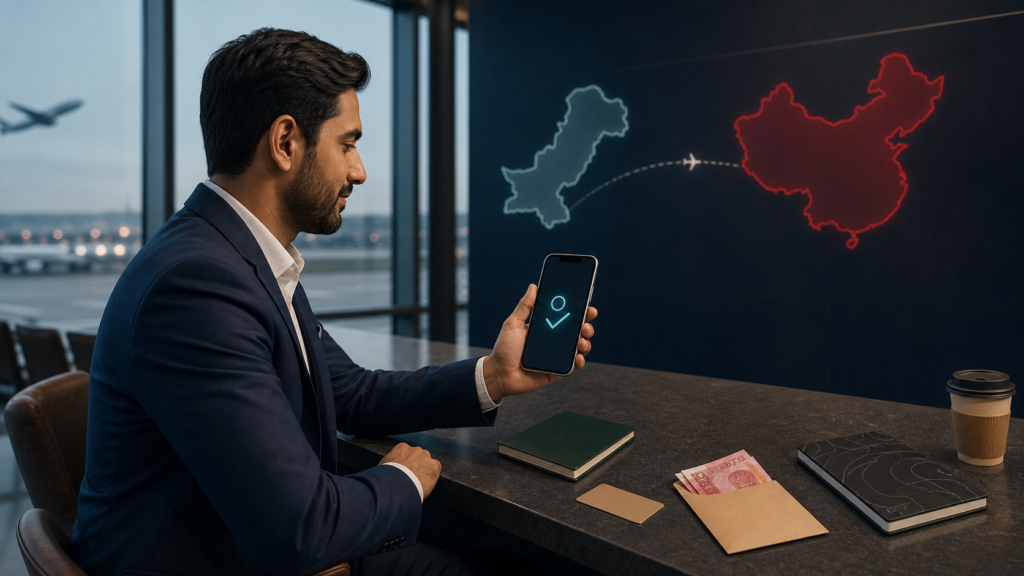
Pakistani travelers can use mobile payments in China, but no guide can guarantee that a particular Pakistan-issued card will bind or approve every purchase. The most resilient setup is to prepare two independent routes before departure: a verified Alipay or Weixin Pay account linked to an eligible internationally enabled card, and NayaPay’s Alipay+ QR-payment option if it is available and active on your account. Carry an internationally accepted physical card and a modest amount of RMB cash as backups.
This guide is for Pakistani tourists, students and business visitors paying for everyday purchases in mainland China. Supplier invoices are different: use a documented business-payment route rather than treating a personal wallet as a substitute for a commercial transfer.
Can Pakistani travelers use Alipay and WeChat Pay in China?
Yes. China’s official 2025 guide says overseas visitors can register Alipay and WeChat (Weixin) with a foreign or Chinese mobile number and bind supported overseas bank cards. The card issuer must still approve the binding and each transaction. The same guide names NayaPay as a participating overseas wallet whose users can scan supported QR codes in mainland China.
Nationality alone does not decide whether a card works. The card network, issuing bank, card product, international/e-commerce settings, available balance, authentication method, merchant type and fraud controls can all affect the result. That is why we do not publish a “guaranteed Pakistani cards” list.
Your three practical payment routes
| Route | Best use | What to confirm |
|---|---|---|
| Alipay + Pakistan-issued card | Daily merchant QR payments and in-app services | Supported network, overseas online use, issuer authentication and wallet verification |
| Weixin Pay + Pakistan-issued card | Second wallet and merchants or mini-programs that favor Weixin | The same issuer checks; acceptance and available functions can differ from Alipay |
| NayaPay via Alipay+ | Eligible Alipay+ merchant QR payments without first linking that wallet to Alipay | Feature availability in your current app, account eligibility, live exchange rate and displayed fee |
NayaPay announced expanded global QR payments through Alipay+ in December 2025 and says its China QR service began earlier. Treat it as an additional route, not your only one: merchant participation, account controls and app features can change. Check the payment screen before confirming.
Set up Alipay before leaving Pakistan
- Install only the official app. Use the Apple App Store or Google Play listing and check the publisher. Avoid APK download sites and anyone offering a “verified account.”
- Register with a number you control. A +92 mobile number can be used where the app offers it. Keep the SIM active in China so you can receive security messages; roaming and delivery depend on your Pakistani operator.
- Complete the in-app identity process. Enter your name exactly as it appears in your passport. Photograph the requested passport page in good light and follow any face-verification prompt. Do not send passport images to an unofficial agent.
- Add an eligible international card. China’s current official guidance lists major networks including Visa and Mastercard, but the precise brands supported can vary by payment product. A debit card is not automatically excluded merely because it is a debit card; the issuer and product must permit the transaction.
- Review the confirmation screen. Read any wallet service fee, issuer charge and exchange-rate information shown before approving payment.
- Make a real, low-value merchant test after arrival. Adding a card is not proof that a purchase will clear. Test at a staffed merchant while your physical card and RMB cash are available.
For a screen-by-screen account process, use our Alipay registration and verification guide. If one card fails, diagnose it before repeatedly retrying; our China wallet card checklist explains the questions to ask the issuer.
Set up Weixin Pay as an independent backup
- Install the official WeChat app and register with your own phone number.
- Open the wallet or payment area shown in your version of the app.
- Complete the requested identity checks and add an eligible overseas card.
- Test a small merchant purchase; do not assume success in Alipay guarantees success in Weixin Pay.
Menus and available functions can vary by account, app version and region. Overseas-card support is designed primarily for eligible merchant consumption. Person-to-person transfers, wallet balances, red packets and some mini-program transactions may be unavailable or require additional eligibility. Follow the live message in the app rather than relying on an old screenshot.
Use NayaPay’s Alipay+ route correctly
NayaPay is not the same thing as creating an Alipay account. It is a participating home wallet that can route eligible QR payments through Alipay+:
- Update the official NayaPay app and confirm your account is fully usable before travel.
- Open its QR-payment or international-payment function; wording can change with app releases.
- At a participating merchant, scan the compatible Alipay+ or merchant QR code from within NayaPay.
- Check the RMB amount, PKR amount, exchange rate and any fee displayed on your own confirmation screen.
- Save the receipt and compare it with your account history.
Do not scan a code sent by an unknown seller and do not use a consumer QR payment for an unverified supplier deposit. Learn how home wallets differ from linked cards in our Alipay+ guide for visitors.
What does a China purchase cost in PKR?
There is no universal “PKR to USD to RMB” formula that applies to every Pakistani card. The merchant requests RMB; the wallet, card network and issuer then process the transaction under their own settlement and conversion arrangements. Your account may ultimately show a PKR debit plus issuer or regulatory charges. A different product may use a different route.
Before travel, ask the card issuer these exact questions:
- Is this specific card enabled for overseas e-commerce and wallet transactions in China?
- Can I receive its one-time password or app approval while roaming?
- What foreign-transaction, conversion, tax or cash-withdrawal charges currently apply?
- Are there per-transaction, daily or regulatory limits?
- What descriptor might an Alipay or Weixin Pay purchase show?
Use the wallet’s displayed RMB total and your final bank statement to calculate the effective cost. Our RMB exchange-rate guide explains how to compare the base rate with the amount actually charged. If a terminal offers dynamic currency conversion, compare carefully; selecting RMB normally leaves conversion to your provider instead of the merchant’s DCC provider.
Pakistan-specific preparation checklist
- Tell your issuer your China dates if it offers a travel-notice feature.
- Enable only the overseas and online controls you need; keep transaction alerts on.
- Confirm roaming and security-message delivery with your mobile operator.
- Save issuer and wallet support contacts from their official apps or websites.
- Bring two cards from different issuers or networks if possible; store them separately.
- Carry some RMB cash and know your card’s overseas ATM rules and fees.
- Set up connectivity before landing using our eSIM and mobile-payment checklist.
China’s official guidance confirms that visitors can also obtain RMB from authorized exchange outlets and compatible ATMs. Cash remains legal tender, but a merchant may not have exact change, so keep smaller notes without assuming every small stall can process an overseas card.
If your Pakistani card fails
- Read the error. A card-binding failure, identity mismatch and merchant-payment decline are different problems.
- Check names and card details. Your wallet identity should match your passport; card details must match the issuer record.
- Check issuer controls. Confirm overseas, online and wallet transactions are enabled and that sufficient funds or credit are available.
- Approve authentication. Look for an issuer-app prompt or security message.
- Stop repeated retries. Multiple rapid attempts can worsen a risk block. Contact the wallet and issuer through official channels.
- Switch route. Use the second wallet, NayaPay where eligible, a physical card at a compatible terminal, or RMB cash.
Paying Chinese suppliers from Pakistan is a separate workflow
Alipay, Weixin Pay and a travel wallet are useful for ordinary merchant purchases. They are not automatically suitable for factory deposits, wholesale invoices or trade settlement. A business buyer should verify the supplier’s legal name and bank beneficiary, match the invoice and purchase order, document the payment purpose, understand the refund route and use a lawful channel supported by the buyer’s bank and applicable foreign-exchange rules.
Never send a factory payment to an employee’s personal QR code merely because it is convenient. Start with our guide to sending RMB to Chinese suppliers and confirm current requirements with your authorized dealer or bank in Pakistan.
Bottom line
A Pakistani traveler should arrive with layered payment access: a verified China wallet, an eligible issuer-approved card, NayaPay’s Alipay+ option if available, a second physical card and RMB cash. Test each route rather than trusting a bank-name list, compare the live PKR cost before confirming, and keep supplier payments inside a documented business process.
Sources and review notes
- State Council of China, Guide to Working and Living in China as Business Expatriates (2025)
- Shanghai Government, payment methods for foreigners (updated July 24, 2026)
- NayaPay, global QR payments through Alipay+ (December 9, 2025)
- State Bank of Pakistan, Foreign Exchange Manual
Editorial disclosure: Extentage has not tested every Pakistani bank or card product and has no affiliation with the issuers or wallets named here. Product support, fees, limits and regulations can change. This page was reviewed against official information available on August 2, 2026; confirm the live terms shown by your issuer and payment app.